
Its great to share with you guys that we are invited for the launch of Adobe creative suite 5. There is lot of buzz around the web for this fantastic upcoming product from Adobe. Adobe Creative Suite 5 (Adobe CS5) is going to launch, which is a collection of graphic design, video editing, and web development applications made by Adobe Systems. Web designers are super excited about this launch as its productive and creative features will greatly speed up designer’s workflow. Designers and photographer are also thrilled with the announcement made by Adobe, that it would give Flash CS5 the features to allow devs to build Flash-based applications and then export them to the App Store’s .ipa standard. This will effectively allow developers to build iPhone apps in nothing but CS5.
Of course Photoshop CS5 will come with several groundbreaking fresh features like new automated patching tools, warping tool, advanced edge detection in masking, improved color picker and eye dropper and lot more. The release date of Adobe Photoshop CS5 is April 12, 2010 and here are some top 15 features of Photoshop CS5 for designers. This is by no means the all-inclusive collection, yet the most profound ones.
1. Content Aware Fill
Content aware fill is fully automated image “Patching” tool and promises to make revolution in photo retouching. Basically it allows you to alter or create reality in photographs as easily as selecting an area and running the feature. Gone will be the days when photojournalists are caught with embarrassing patterns created by improperly using the stamp tool. The below given video explains clearly how it works.
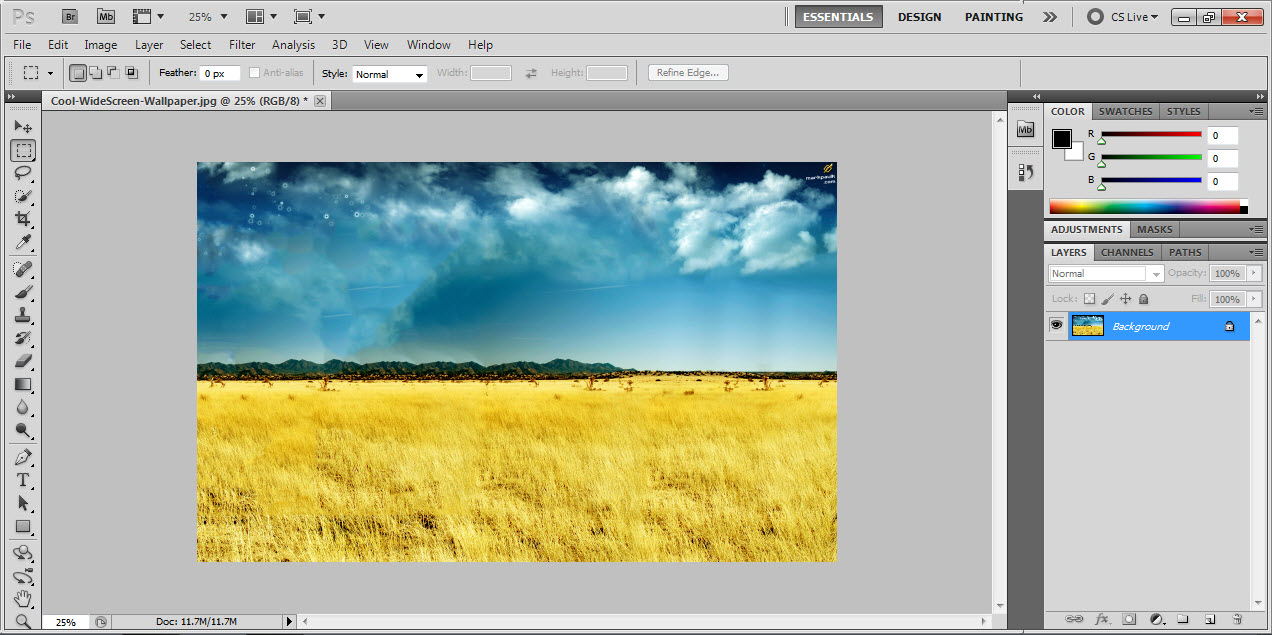
2. Better Edge Detection And Masking
Photoshop CS5 feature offers better edge detection and masking results in less time—even with the trickiest images, like hair. It further let users adjust parameters like feathering and contrast in just one step while previewing the result before applying. Don’t miss out on “Smart Radius” that offers advanced edge detection to create complex selections very quickly.
3. Painting
Have an image you’d like to turn into a painting using natural brushes and strokes? Or how about the urge to create digital paintings from scratch? Painting tool of CS5 offers you to change the size of your brush with the horizontal and vertical movements of your mouse. You are also allowed to change the page size with this amplified tool.
4. Layer And Preferences
This tool helps you save custom layer and closing dialog box option as default. You just need to click on “Make default” button once you are done with creating custom layer style in CS5 and that will be your default option for all new layer you create henceforth. Same trick can be applied for closing dialog box also.
5. Straighten and Multilayer Opacity
When you need to straighten your photo with CS5 all you need is to draw a horizon line, click Straighten button and your image would turn straight with specified line. Further you can also adjust multiple layers simultaneously as easy as selecting layers you desire to adjust and moving opacity slider. Another amazing thing about CS5 is that it now allows you to save 16-bit files as a JPG in a single step without first downsampling.
6. Upgraded Spot Healing Tool
Upgraded spot healing tool works the same way as the content aware fill. It makes much easier to remove unwanted objects and any scratches or damaged regions from photos. For example, you can remove wires from urban photo in seconds. Previously this feature was available in some Photoshop plugins but apparently Adobe developers improved the algorithm a lot.
7. Puppet Wrap Tool
Puppet wrap tool was one of the most wanted features and now it has been added to Photoshop CS5. It allows you to create a skeleton kind of shape by assigning joints on object and wrap image around it. This is being taken from Adobe After Effects program.
8. Dueling Paint
Adobe Photoshop CS5 provides an alternative to either use a special tool to interpret a photograph into a painting or to use a “from scratch” tool and create absolutely new objects. You can convert your photo into a hand drawn painting with much more realistic results. And Wet paint is a new Photoshop CS5 feature that lets you mix up colors with brush in the same way you do it in a real world, ‘wet’ paints can be smudged, smeared and blended. The new brush tools aim to match that found within Corel’s Painter application.
9. PatchMatch
PatchMatch is a Randomized Correspondence Algorithm for Structural Image Editing quickly finding approximate nearest neighbor matches between image patches. Algorithm offers substantial performance improvements over the previous state of the art (20-100x), enabling its use in interactive editing tools. The key insights driving the algorithm are that some good patch matches can be found via random sampling, and that natural coherence in the imagery allows propagating such matches quickly to surrounding areas.
10. Lot More New Features
There are lot more new features waiting on the launch, check out the sneak peak of Photoshop CS5 technology below:
Know more interesting upcoming features of Photoshop CS5 at CS5.org
Also checkout
[download id=”20″]
Comments
74 responses to “10 Exciting New Features Of Photoshop CS5 For Designers”