

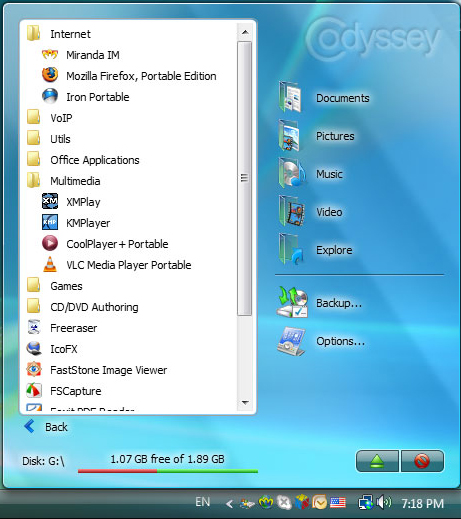
CodySafe is another one portable applications for windows users and you can install to your USB flash drive and get access some productive applications instantly. It’s just like PortableApps or great competitor of PortableApps Suite. It has own start menu and still in beta version.
Additionally, you can organize applications, organize your documents on your flash drive just like you’re doing on your pc, sort the items such as pictures, music, video and documents. Some customized features are given,
- Customize your start menu by arranging items into groups
- Add programs to an Autorun menu so they will launch whenever you run the CodySafe menu
- CodySafe Control panel lets you adjust the language, system settings, or scan the disk for errors
- Set custom command line parameters for each application
However, CodySafe it’s free applications and hopefully future versions will bring folder manager, disk encryption, disk backup tools and so on. Until then try out, Pendriveapps and The Portable Freeware Collection.

Comments
18 responses to “CodySafe Suite Alternative Of Portable Apps Suite”