

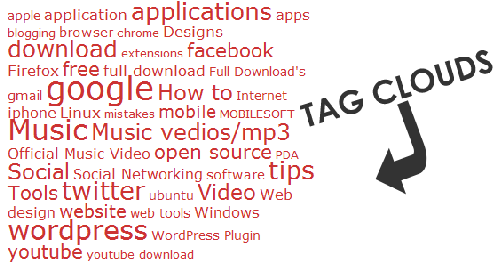
If you are a blogger then you might familiar with the tag clouds, its a visual clouds of user generated (automatic / manual ) links of tags with different font sizes. Tag clouds are good to display useful information on the WebPages and blogs. It also helps in decreasing the bounce rates ( ratio of Total no of visits viewing one page and Total Entities to the Page ). Before going further we are going to present a simple code to display tag clouds anywhere in your WordPress template, without any use of WordPress plugins.
<h2>Hot Tags </h2>
<?php if ( function_exists(‘wp_tag_cloud’) ) : ?>
<?php wp_tag_cloud(‘smallest=8&largest=22&order=RAND&exclude=1,2’); ?>
<?php endif; ?>
<?php if ( function_exists(‘wp_tag_cloud’) ) : ?>
<?php wp_tag_cloud(‘smallest=8&largest=22&order=RAND&exclude=1,2’); ?>
<?php endif; ?>
Description of few simple parameters:
- smallest=8 to decide the minimum font size of the tags
- largest=22 to decide the maximum font size of the tags
- order=RAND to Randomize the display of the tags
- exclude=Tag ID’s to exclude the particular tags
Comments
3 responses to “How to display Tag Clouds without using any WordPress Plugins”