

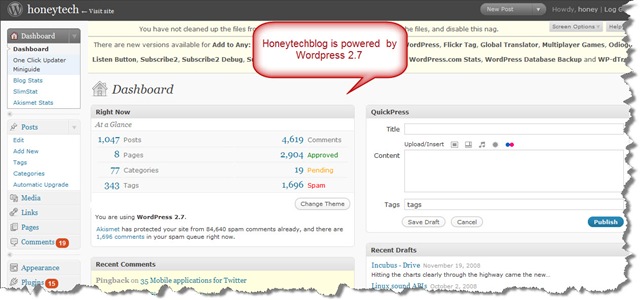
 I’m using the latest wordpress version on this blog and i think you all hear about the new release of wordpress 2.7 and may know that this is the biggest change in the wordpress ever release.The best observance about wordpress 2.7 is its new eye catchy look with a butter scotch interface and designs.So in case you haven’t upgrade your wordpress to the latest version (wordpress 2.7) due to lack of technical guidance then here is the 8 simplest and safety proof steps :
- First of all take a healthy BACKUP of all your database and files.
- De-activate all your plugins in order to avoid contravenes with the wordpress 2.7 systems.You can simply activate them after the upgrading process.
- Download a fresh copy of WordPress 2.7
- Simply extract the WordPress 2.7 files on the server or into your
- What to upgrade? Backup your wp–config.php file (its for the safety issues Warnings: Do not touch your “wp-content” folder.You can easily replace or delete your rest of files like wp-includes, wp-admin.
- Now after upgrading files login into your account i.e yourblog/wp-admin/.After this you’ll automatically asked for database update.
- Now you’ll be automatically asked for the upgrading the wordpress and that over.
- Don’t forget to activate your old wordpress plugins.
 If you are not into so much geeky stuff i would like to introduced WordPress Automatic Upgrade plugin (thanks to Ronald Huereca and Keith Dsouza ) which will allows you to automatically upgrade the wordpress installation to the latest version (wordpress 2.7) provided by wordpress.org using the simple 5 auto guided steps.
In case you don’t want to be in hustle i’ll recomend this plugin to all my users.
Note: In case you have any isuues in upgradion or have some problem after updatin to wordpress 2.7 then feel free to discuss via comments.I’ll try my best to resloved each of your queries.
Comments
6 responses to “How to update your blog to wordpress 2.7”