

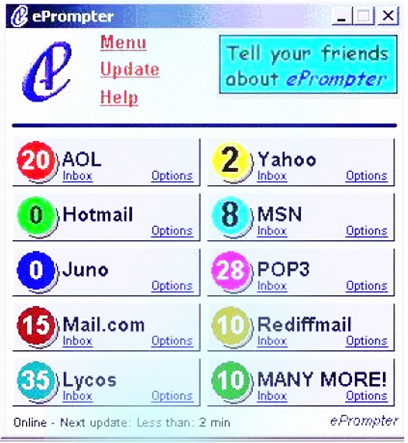
ePrompter is an applications to track several emails on a single go. You can easily manage, read , compose and delete the emails within your ease. It supports several email services like Gmail, Yahoo, AIM, AOL, Gmail, Rediffmail and several other email services. ePrompter automatically and simultaneously fetches your email accounts and gave you regular notifications of new messages in different e-mail accounts.
Tiburon Technology says that
ePrompter’s notification features include a unique rotating tray icon and a choice of five screensavers that let you know at a glance the number of new messages in each account, as well as audio alerts for new messages. Version 2.0 employs auto-upgrades so that regardless of the version of ePrompter you download from CNET, it will be automatically updated to the most recent version of ePrompter after one use of the program.
One of CNET users rctlover1 reviews its Pros and Cons as
Pros: This program is good for notifying you that you have email in one of your accounts and allowing you to quickly delete messages you know you don’t want. However, it is VERY bare bones. It does stay synched with Gmail much better than Outlook, but has limited features.
Cons: Doesn’t work with HTML format, constantly cuts off the end of the message so you can only read the first line, doesn’t work with attachments. I use it to notify me when I have email and I can quickly delete or mark as read most messages. When I really need to read an email or download an attachment, I still have to sign into my account. Also, it DOES NOT work with Microsoft Exchange Servers like Outlook does.
Comments
51 responses to “Track several e-mail accounts with ePrompter 2.0”