

Home | Store | Contact | Videos | Privacy Policy

How to update SMSC no in Android [ Tested on Samsung GalaxyS ]

7 Comments » | This post was viewed 17343 times.

SMSC stands for Short Message Service Center which is responsible for delivering the message in mobiles. For updating SMSC codes you need to get into the phone information of android and then into prompt for updating the SMSC codes. Follow the few simple steps to update the SMSC codes on Android mobile (tested on Samsung GalaxyS)

Step 1: Dial this code from your phone *#*#4636#*#*

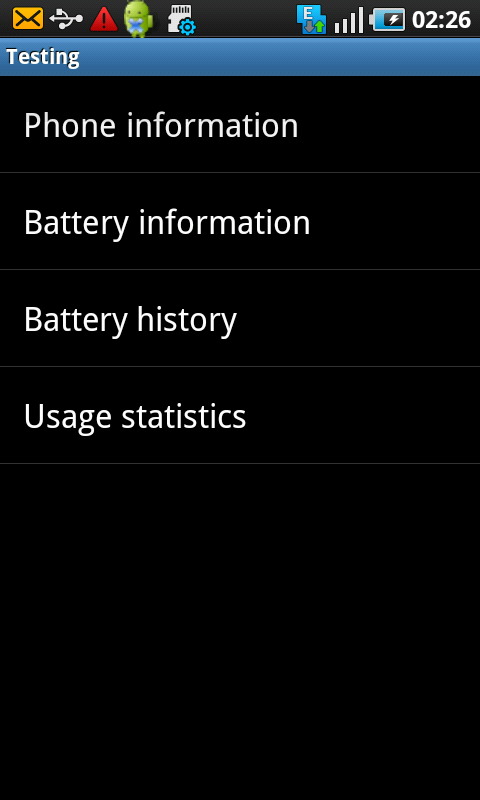
Step 2: Choose phone information from testing mode
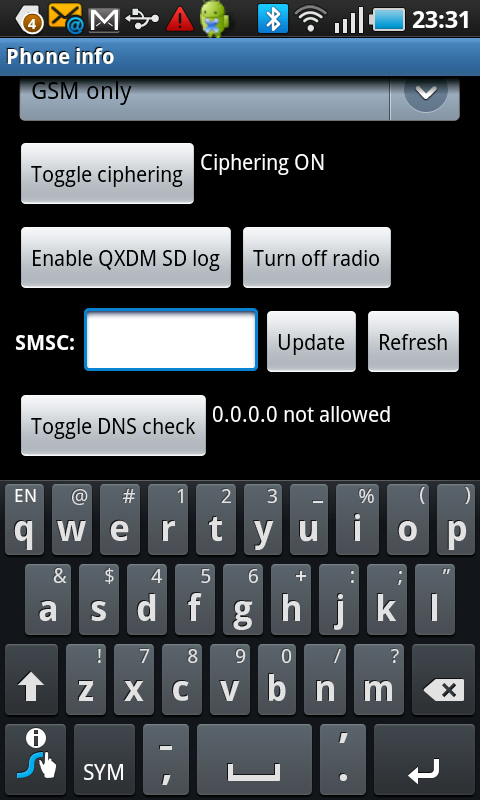
Step 3: Go to text box against SMSC codes
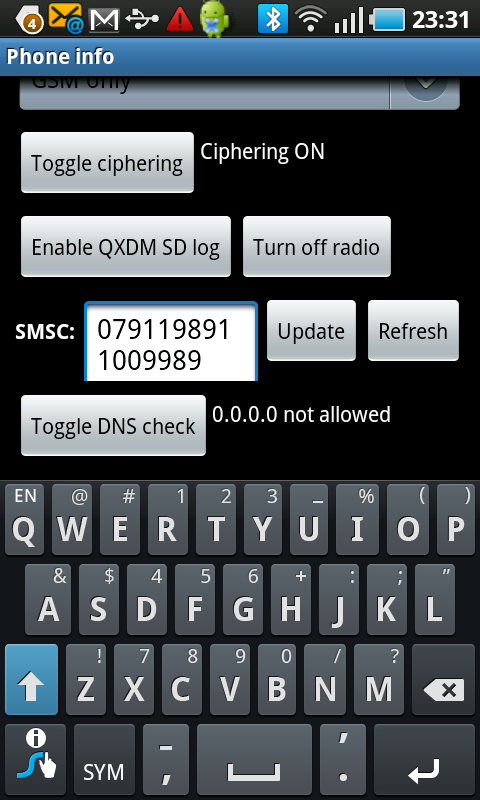
Step 4: Update the new SMSC no or Refresh to get current SMSC no

You can follow any responses to this entry through the RSS 2.0 feed. You can leave a response, or trackback from your own site.

7 Responses to “How to update SMSC no in Android [ Tested on Samsung GalaxyS ]”

  1. [....] its a really useful application,i opened it and it is opened and worked on it worldwide for the ease.

  2. [.....] Twitter is the way to solve this problem.[......]

  3. Well There is a problem with this solution. You are not explaining, why are you using this number, and what numbers mean. For example for my operator, it took a while to figure out why I am getting “Update Fail”. Number basically needs to be in PDU format in order for this to work. Here is a link to an OK (sorry could not find better) smsc to pdu converter. You input your operator SMSC number in it, convert to pdu, and then enter that number into Testing Menu of android phone.

    http://www.twit88.com/home/utility/sms-pdu-encode-decode

  4. How do i send free sms form my mobile, is there any smsc that can do that please email me janemark@ymail.com

  5. how to change network mode to 3g only in samsung galaxy fit help me out

  6. I bought a HP070GT Phone PC and having problem with calling,the IMEI is 0 and the MMI and SMSC is wrong please help to fix it.

Leave a Reply