

Home | Store | Contact | Videos | Privacy Policy

YouTube and FLV Player for windows mobile

37 Comments » | This post was viewed 102420 times.

youtube flv play on htc touchYoutube is the best way to get the latest songs from the internet.So we can easily download these video with the help of Youtube Downloaders in the flv files.We often play these flv files in the computers with the help from players like vlc player, GOm players but the main issues is how to play flv files for mobiles?.

This is the ultimate solution for windows mobile users for playing flv files in their mobiles.If you are unable to download and watch youtube videos on your Windows Mobile 6 device then you may also enjoy this application.I personally tested this application on my HTC Touch.
Youtube Player allows you to search for and play videos in a nice Windows Mobile application, then plays the full FLV video (not minuscule MPEG4 versions) with its own player.

Require high data rate and consume high bits so be sure you have unlimited plan for accessing net of mobile.Moreover It won’t work well on GPRS as flv videos are of large sizes.
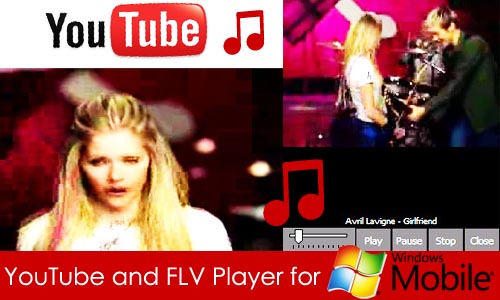
youtube-flv

Download Now

YoutubePlay (37198)

If you have other mobile like nokia e71 or other sysmbian based mobile then in general youtube provide the mobile verions on www.m.youtube.com and you can install the applications in few simple steps.Supported mobiles are Nokia’s N73, E51, E61, E61i, E65, N95, 6120c, 6110n and Sony Ericsson’s k800i and w880i.

In short you can install the youtube application and if you need more information the watch this video

Transcript of the video

1. Using your phone browser go to: m.youtube.com/app

2. Follow the instructions to download YouTube
3. Exit your phone browser
4. Find the YouTube icon on your phone and start watching videos

Update on 7march,2009:Temporally m.youtube.com/app gives 404 not found error.


You can follow any responses to this entry through the RSS 2.0 feed. You can leave a response, or trackback from your own site.

37 Responses to “YouTube and FLV Player for windows mobile”

  1. YouTube FLV Player for windows mobile ( tested on my HTC Touch) http://tinyurl.com/5e7btz

  2. anonymous coward Says:

    Any youtube video can be played on windows mobile using http://m.vtap.com. this site allows you to search and stream almost any video on the internet in MMS format.

  3. HI, I tried this after downloading it onto my HTC Touch as well and it does not work with my flv files. If you have any other software I’d appreciate it.

    Thanms,
    david

  4. @david
    >Install the application
    >Store your flv files in any folder ( like “flv” )
    folder location must be
    storage card/flv
    or
    storage card/”your folder”

  5. The Flv player is fast forward and rewind one. it also create and manage the play list.

  6. Kemal Caesar Says:

    Thanks, it works on my HTC Touch just well. It’s right we have to rename the folder with “flv”, otherwise the software will detects no flv files.

    Thanks again
    Kemal

  7. Well i also have tried UtubePlayer. it works but with heavy files (10mb), it doesn’t work properly.. it plays them very slowly.. whats the solution? i have HTC Touch.

  8. i too have a software of you tube install in my windows mobile. only some files iam able to able to play and it is working very well. but some files iam not able to view. please send ur response

  9. I have tried out in a HTC TyTn II with Windows Mobile 6.1 and it works perfectly well. The video was really helpfull, thank you very much.

  10. I have tried it with my Asus P527 with windows mobile 6.1 and it works just fine . Great thanks ,Honey .

  11. This advise is not helpful. You should stop.

  12. @Apple ( anonymous )
    Which advice are you talking to?
    This is the post about FLV Player application for Windows mobile and is working perfectly fine !

  13. doesn’t work on my samsung omnia.

  14. #YouTube and FLV Player for #windows #mobile http://bit.ly/6qAyr

  15. #YouTube and FLV Player for #windows #mobile http://bit.ly/6qAyr

  16. Thanks to author!

  17. This software is a junk.. Use TCPMP player instead. only play a few flv files…i dont know why..or for youtube, use the youtube application present on their application

  18. YouTube and FLV Player for #windows #mobile http://bit.ly/1YRVOz

  19. thank so much

  20. @Caillou
    Your Welcome.

  21. YouTube and FLV Player for windows mobile http://bit.ly/1YRVOz

  22. Hey very nice blog!! Will add to feed reader :-)

  23. how to play flv files on windows mobile http://bit.ly/1YRVOz

  24. Sorry Not Working!
    It searches the flv files stored in any place, but for my gsmart i120 wm6 nt working but Thanks.

  25. Ola! Instalei em um Omnia II com windows mobile 6.5 e funcionou 100%. Muito Obrigado.

  26. Bob Arornone Says:

    Wow! I’ve been looking for this kind of software for a long time. The crappy quality after conversion to 3gp, 3g2 or whatever is no more! I bought CorePlayer after I got the impression that it could play flv files, but it turned out it couldn’t handle ON2 VP6 coded files.

    I installed Youtubeplayer on my HTC Touch HD2 and moved the flv files to a first-level subdirectory on my storage card. The film plays in portrait and landscape. Finally, the high quality of the screen shines through. I’m happy.

    Thank you!!!

  27. Bob Arornone Says:

    I’ve been using this daily with a set of my flv files and have some ideas for enhancements;
    - Multi-files selection for playback.
    - Automatic playback of next file when the current reaches end of file.
    - I’d like to be able to reposition playback, e.g. re-run a section or resume a closed session.
    - While an flv file is open, you cannot access any other screen/program on your device.
    - Bookmarking?
    - Playlists?

    Still, superb software with an option to get even better.
    Best regards,
    Bob

  28. Dear Freinds,

    I have tried both youtube play, as well as TCPMP. I have few FLV files whose size is varying from 4 MB to 28 MB. Not a single files runs. I have downloaded them through Real Player. Only 1 video which is 5.2 MB runs, rest nothing happens.

    When I try to play these files, The scree shows blank, the cursor moves as if playing file and then the message comes stopped. If I try again to play, it doesnt work. U tried GDI and Raw Buffer, tried increasing buffer size, but no luck.

    Can some one help me. How do I play all the FLV files which I have downloaded using realplayer, I can watch on my HTC Touch, WM 6.

    Waiting for some real solution

  29. I have exactly same problem as Sagar F. I have downloaded youtube play but the flv video deosnt play. It show the blank screen and cursor moves for about 10 secs as if it were playing a video and then nothing. Its a 60 mb video file.

    Can someone help plz!!!!!

  30. Youtube Flv players are generally for Flv files of Youtube. It ranges from 4mb to 20mb.
    @Gurpreet
    Please check if your file is flv, youtube player will not handle larger files of about 60mb :)
    I checked it for general Youtube files and it is perfectly working for me.
    Cheers :)

  31. a7chris Says:

    plz am also using htc tytn 11. can’t find it working for me. how did guys get yours working? plz i really need ur response. thanks

  32. Hi i found this new encoder
    There is a link so you can check in
    http://encode-video.com/

  33. Senol EKER Says:

    It works on my Jasjar well. But it does’nt exit by pressing exit button. No way to exit program but resetting device.

Leave a Reply