
Image via Wikipedia
Since few days i was looking for tools to perform some file operation on my desktop like drag & drop that can organize my shortcuts and icons.While researching on the internet i found an application named ObjectDock .Do you know it can act as both as a task manager and a program launcher.The best this about it is its eye candy UI and level of easiness in while handling it.It can perform large no of task in front of eyes and i can use it to customize the look of each item on the dock.
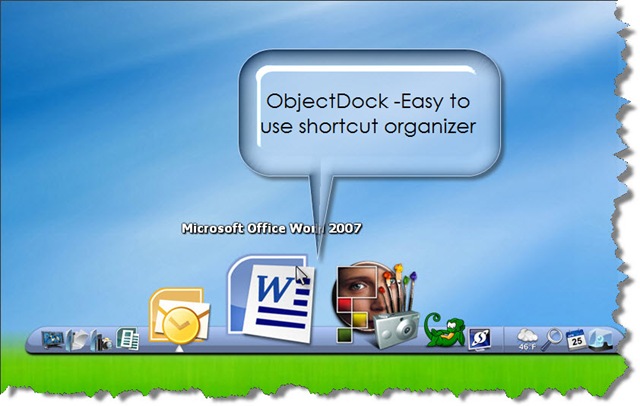
In a simple words it can be defined as a program that enables users like us to organize their shortcuts icons , graphics their applications ,programs and running tasks into an attractive and fun animated Dock.It have a virtue by which i can allow users to have more control over organizing their desktop like Pablo Picasso (i may metaphor here ).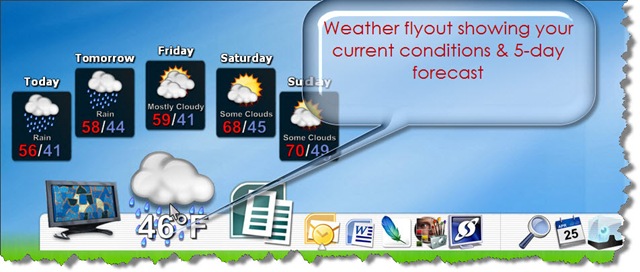
Some of the best features of ObjectDock as disclosed by their use are:
- Simple to use for any layman.
- Amazing user interface.
- Running programs show up on dock, can minimize to it
- Super-smooth minimize animations in Vista
- Many languages supported, unicode compliant
- It have a comfortable shortcut organizer
- Convenient auto hide and “keep in background” modes
- The most popular program of its kind – 3.5 million users to date
- Fully customizable – tons of backgrounds and images freely available
- Consistent updates – will continue to be updated and improved for years and years to come
- We listen to customer feedback – new features and abilities added to each revision
- Cozy drag & drop operation
- It uses very low system resource usage
- Option of smooth animations
- Designed to run smoothly even on older computers
- Awesome weather flyout to show your forecast
- Docklet extensions standards.
- Helpful support team and message boards
Comments
15 responses to “ObjectDock – A new task manager and a program launcher”